
Running an AI agent on a VPS 24/7 (and steering it from your phone): my real setup after 5 months
My agent works while I sleep. From Monday to Thursday, at 00:30, it drafts an article on my server. In the morning, I review it and approve it from my phone, in five minutes.
This article documents the complete setup of this AI agent on a VPS: choosing a server at about €5 per month, the installation, the business crons, and remote control. Nothing theoretical. This system has been running for five months, and I also show you the failures.
The results at a glance
- Cost: a small server at about €5 per month is enough to run an AI agent on a VPS around the clock.
- Production: 186 pieces of content published in 5 months, with 16 scheduled jobs, 7 of them active.
- Control: the Telegram gateway lets you run your business remotely, simply, from your phone.
- Security: no publishing without human validation, with a 12-hour decision window.
Bottom line: running an AI agent on a VPS is the most profitable infrastructure decision I have made for my solopreneur activity. Getting started takes one evening. The real key is not technical: it is the human validation rule that keeps the agent from publishing just anything.
1. Why a VPS and not your laptop or a managed platform
A 24/7 agent needs a machine that stays on at all times. Your laptop goes to sleep, switches networks, travels with you. Through every one of those pauses, your AI agent on a VPS keeps working.
A managed platform solves that problem, but at a price. You pay a recurring subscription, your data passes through a third party, and the vendor decides the usage limits. For a solopreneur who wants to keep control, it is one more dependency.
A VPS is the middle ground. A server rented for a few euros per month, your files, your agent memory, your API keys. Everything stays with you, on your machine.
The comparison fits in one picture. A chatbot waits for you to come and talk to it. An agent observes, decides, acts, then checks the result, without you.
My agent of choice: Hermes Agent, the open source agent developed by Nous Research, released in February 2026 under the MIT license. It keeps a persistent memory from one session to the next, ships with more than 40 built-in tools, and grows with skills following the open agentskills.io standard. No telemetry, no tracking: your data stays on the server. My detailed review, strengths and limitations included, is in my Hermes Agent review.
Key point: Hermes Agent runs on a VPS at about €5 per month. Open source, MIT license, persistent memory, more than 40 built-in tools. Sources: official site and Nous Research docs.
2. Choosing a cheap VPS (and a sufficient one)
Deploying an AI agent on a VPS does not require a big machine. Most of the computing runs on the model provider side, via API. Your server only handles the agent loop, its tools and its memory. Hermes Agent needs about 2 GB of RAM.
| Config | Specs | Market price | Usage |
|---|---|---|---|
| Mini VPS enough for Hermes | 1 vCPU, 2 GB of RAM | about €5/month | Getting started: the agent, its memory, its crons |
| Single-agent benchmark (specialized host) | 1 vCPU, 2 GB of RAM, 40 GB SSD | €12/month | Comfort, headroom for scheduled jobs |
| General-purpose text-based agent | 2 vCPU, 4 GB of RAM, 80 GB NVMe | €28/month | All-round assistant, several messaging channels |
| Heavy configs | 4 vCPU, 8 GB of RAM, 160 GB | €48 to €56/month | Several agents, automated browser, database |
These prices are market benchmarks collected from specialized hosts. My rule: start small, resize later. A cheap VPS turns into a bigger machine in a few clicks with most hosts.
Watch out for the opposite trap: the cheapest server on the market is rarely enough in the long run. Your jobs grow with your activity, and the agent memory thickens session after session. Plan resizing as a normal step, not as an admission of failure.
A margin rule next: keep at least 30% of RAM free under normal load. Complex reasoning chains create spikes. When the server starts swapping, the agent’s responses degrade fast.
Key point: 2 GB of RAM is enough for Hermes Agent. Start at about €5 per month, keep 30% of RAM free, move up the range when your jobs grow.
3. Installing Hermes Agent in 15 minutes
Installing an AI agent on a VPS is the easiest step of the project. Count 10 to 15 minutes for the installation, then 30 minutes to an hour for your first useful workflow. I detailed the full assembly in my AI agent infrastructure stack.
The whole process comes down to five moves:
- Rent a cheap VPS with a common Linux distribution.
- Secure access: dedicated user, key authentication, active firewall.
- Follow the official Hermes Agent documentation: the installation fits in a single command.
- Paste your model API keys into the provided configuration files.
- Open the session and chat with it to check that everything responds.
Persistent memory makes the difference day to day. When the agent solves a hard problem, it writes a reusable skill. The solution is not lost: your AI agent on a VPS gets more competent with every incident it settles.
First reflex after installation: test in read-only mode. Ask it for a server status report, a summary of your files, an inventory of what is running. You watch the way it works before handing it any sensitive action.
Key point: 10 to 15 minutes of installation, a single command to run, the official docs are enough. The first useful workflow takes an hour.
4. Steering it from your phone (Telegram/Discord gateway)
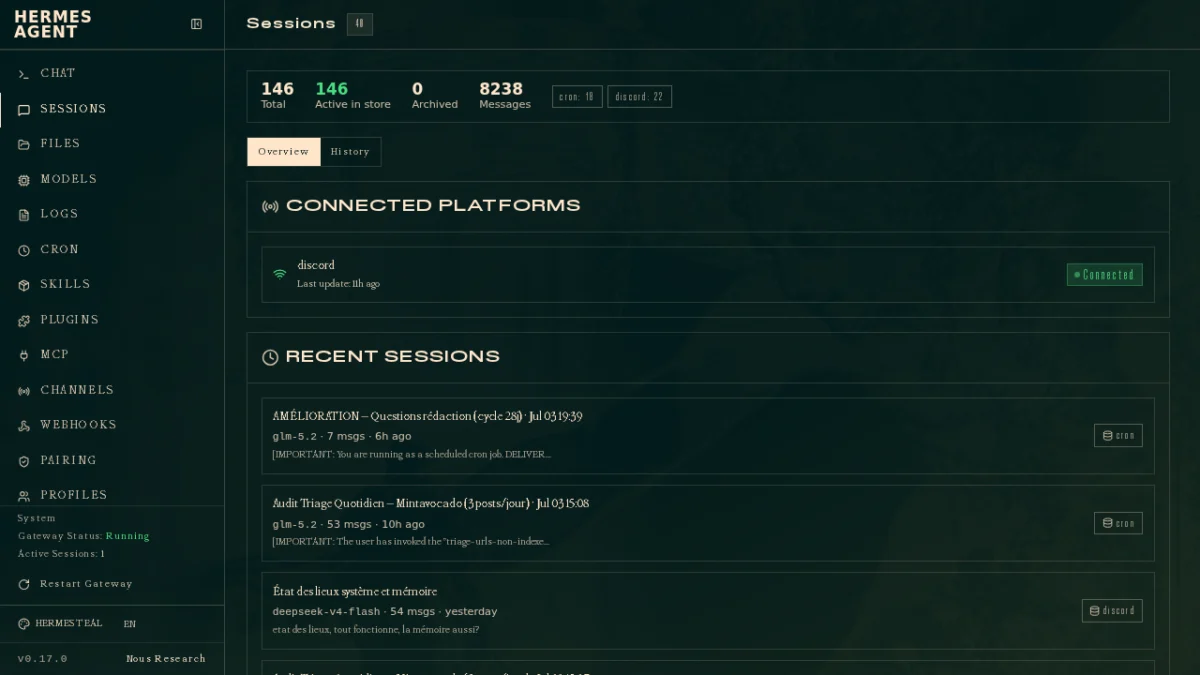
This is where the setup becomes a way of life. Hermes Agent exposes a single gateway that connects it to Telegram, Discord, Slack, WhatsApp and Signal. You talk to it like a colleague, in a private message.
My morning channel: Telegram. From your phone, you check the pending drafts, ask for an adjustment, approve. My routine takes five minutes, before the first coffee. That is what running your business remotely means: the server works at any hour, you keep the decisions.
I live in Southeast Asia, completely out of sync with Europe. Without this AI agent on a VPS, my days would be chopped up by thankless tasks. With it, the time zone becomes an advantage: while I sleep, the machine produces.
In practice, the daily uses are simple. I ask where the publishing queue stands, have it review a paragraph, launch a monitoring search, or pause a badly calibrated job. Every order starts as a two-line message. The answer lands in the same conversation, with the proof elements you need.
Key point: the single gateway covers Telegram, Discord, Slack, WhatsApp and Signal. Your AI agent on a VPS is steered with simple messages, with no dashboard and no technical session.
5. What the agent does while you sleep (real business crons)
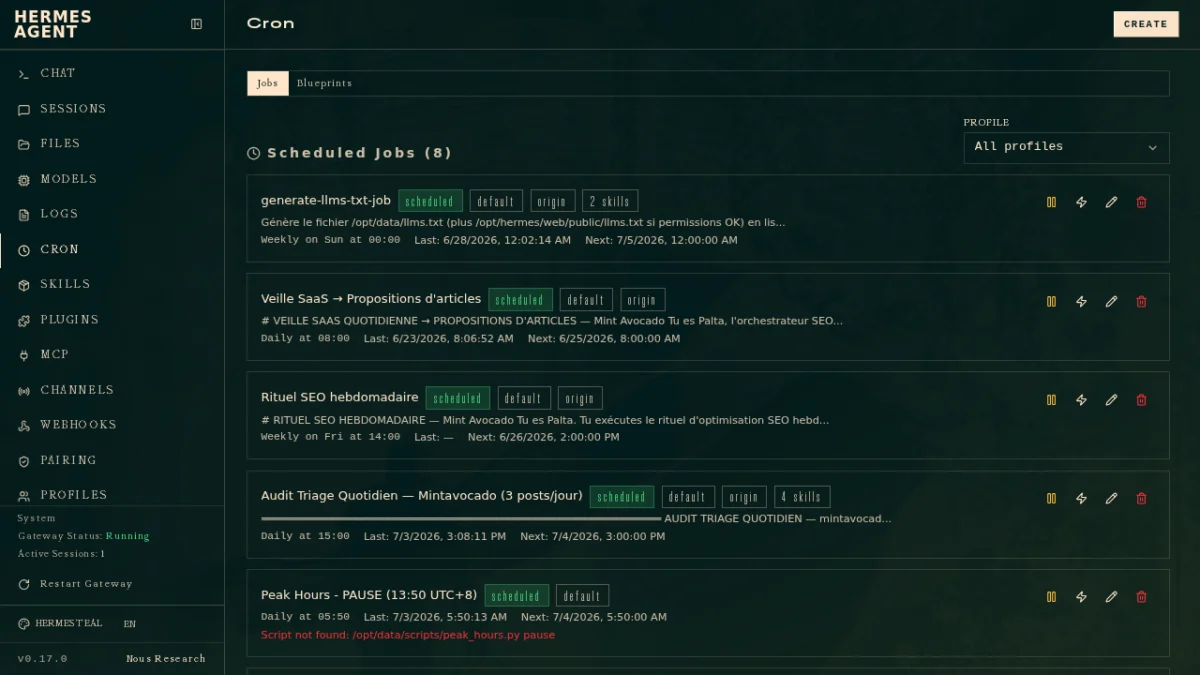
Here is the part generic guides never show: the real jobs. My AI agent on a VPS chains seven scheduled tasks, tuned to off-peak hours:
- FR writing, Monday to Thursday at 00:30: an article draft waits for my validation, with a 12-hour window.
- EN/ES sync, Monday to Friday at 13:30: translations follow the French publications.
- Auto-publisher, every 6 hours: a script publishes the queue of validated content.
- Affiliate reminder, Monday at 01:00: a nudge for the monetization tasks.
- Smart monitoring, Monday to Friday at 01:15: sorting the industry news.
- Top 3 ideas, on the 1st and 16th of the month: the priority topics surface on their own.
- GSC quick wins, Monday at 01:30: the fast optimizations spotted in Search Console.
Why these night hours? Because the draft must be ready when you wake up, and the day stays free for review. The slots are tuned to my time zone and my rhythm, not to a standard. A useful business cron fits your organization, not the one of a tutorial.
The tally after five months: 186 pieces of content published, 16 jobs created, 7 of them active and 9 on pause. The detailed numbers, job by job, are in my five-month report in real numbers. It is not a magic factory: it is a steady production line, supervised remotely.
Key point: 186 pieces of content published in 5 months by a line of 7 active jobs, on a server at about €5 per month.
6. What I keep under human control
I start with the most important: nothing gets published without me. Every draft waits for human validation, with a 12-hour window. The agent prepares, I decide. This rule absorbed all my early fears.
I also owned a full stop: from August 31 to September 14, every job was switched off. Two weeks by hand, the time to take back control of the line. An AI agent on a VPS does not lock you in: you pause, you resume.
And there are failures, which I gladly document. On October 8, the writing job dropped into error status. The same day at 13:30, the EN/ES sync stalled, because the French draft was not published yet. When upstream stops, downstream follows.
Today, 9 jobs out of 16 are on pause, including the daily triage (stopped on August 25) and the daily internal linking (October 7). I prefer a reduced and mastered automation over a fragile stack.
My mindset: an AI agent on a VPS is a brilliant junior collaborator. Fast, tireless, sometimes wide of the mark. You do not hand irreversible decisions to it. That is exactly how I support the entrepreneurs I advise.
Key point: human validation within 12 hours, a fully owned two-week stop, failures documented without filter.
Frequently asked questions about an AI agent on a VPS
Which VPS should you choose for an AI agent?
Hermes Agent needs about 2 GB of RAM, with no GPU, because the model runs on the provider’s side via API. A cheap VPS at about €5 per month is enough to start. Market benchmarks range from €12 for a single agent to €48 to €56 for heavy configurations. Start small, resize next, and keep 30% of RAM free under load.
How much does an AI agent running 24/7 cost?
Two cost items, no more. The server first: about €5 per month for a sufficient configuration. The model calls next, billed per use by the API provider. Your AI agent on a VPS consumes according to its job volume, and seven scheduled tasks remain a modest usage. The total stays negligible compared with the working time you get back.
Do you need to be a developer to install an AI agent on a VPS?
No. The installation fits in a single command and takes 10 to 15 minutes when you follow the official documentation. Some command-line reflexes help, but no development is required. Count 30 minutes to an hour to build a first useful workflow. The entrepreneurs I advise start without any technical background.
Can you really steer an AI agent from your phone?
Yes, that is the whole point. The single gateway connects the agent to Telegram, Discord, Slack, WhatsApp and Signal. You send an instruction as a message, the agent answers and acts on the server. My morning routine takes five minutes: check, adjust, approve. That is exactly what running your business remotely from your phone means.
Is an AI agent on a VPS safe for your data?
Hermes Agent is designed to stay local: no telemetry, no tracking, your data stays on your machine. Add the best practices of a well-kept server: dedicated user, key authentication, secrets in protected files. Finally, keep human validation for anything irreversible. Security comes from the combination of both.
The final word
Running an AI agent on a VPS at about €5 per month has become the backbone of my business. The crons produce at night, the Telegram gateway gives me control during the day, and the 12-hour validation window protects quality. Running your business remotely is not a guru promise: it is a documented setup, with its numbers and its outages. The entry door to the topic remains my in-depth guide to AI agents, and I will do a new numbers check-in in five months, as promised in my report.




Leave a Reply