
The Minimalist Arsenal 2026: Perplexity + Gemini, When 2 Tools Replace 12
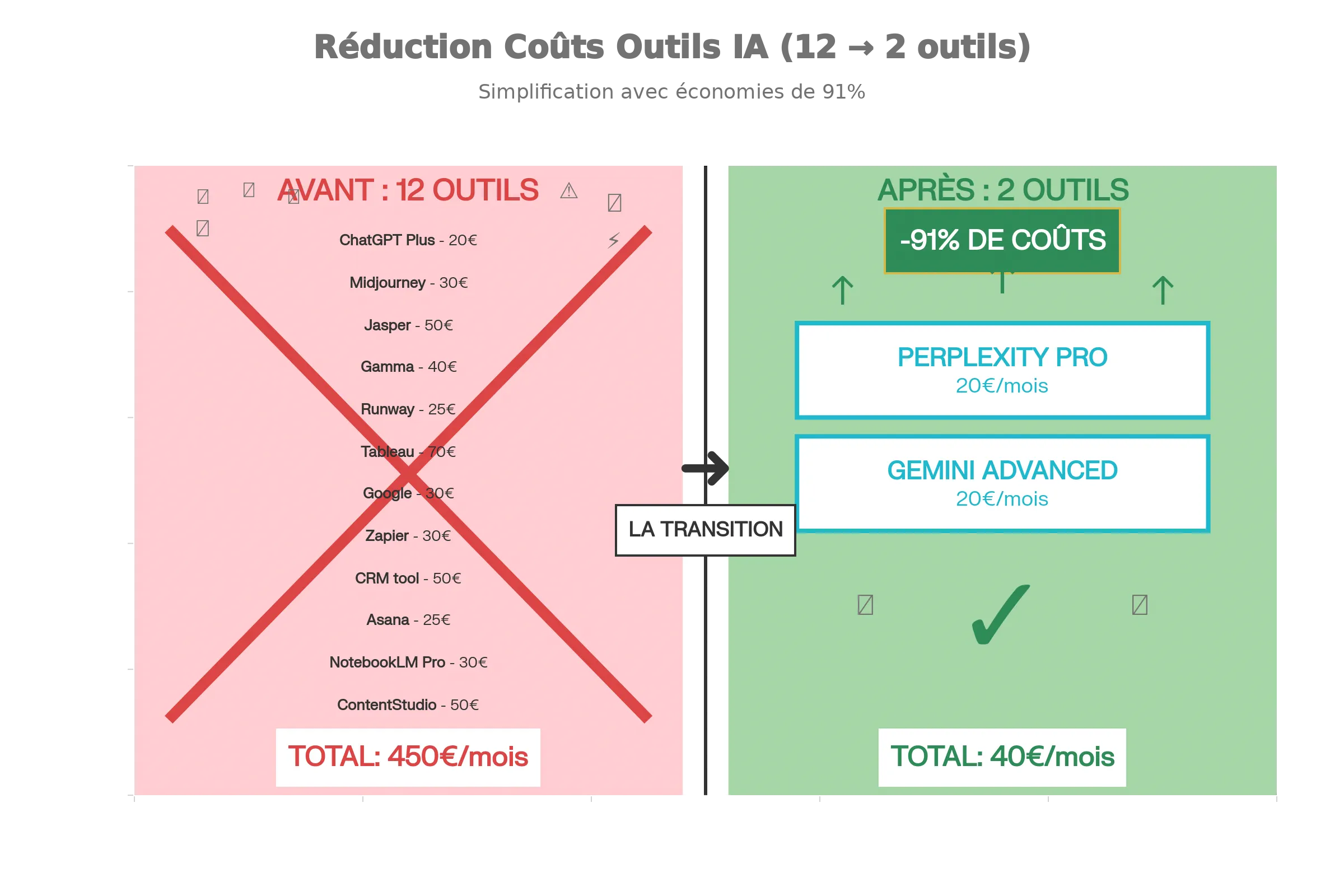
They sold it to you like this: more tools, more power. But in 2025, all we have is more invoices. ChatGPT Plus ($20), Midjourney ($30), Jasper ($50), Runway ($25)… the bill climbs fast. And at the end of the month, you do the same thing as before, just with a brain split across a dozen tabs.
I lived it. Until I made a radical decision: I cancelled everything. Absolutely everything. Except two tools.
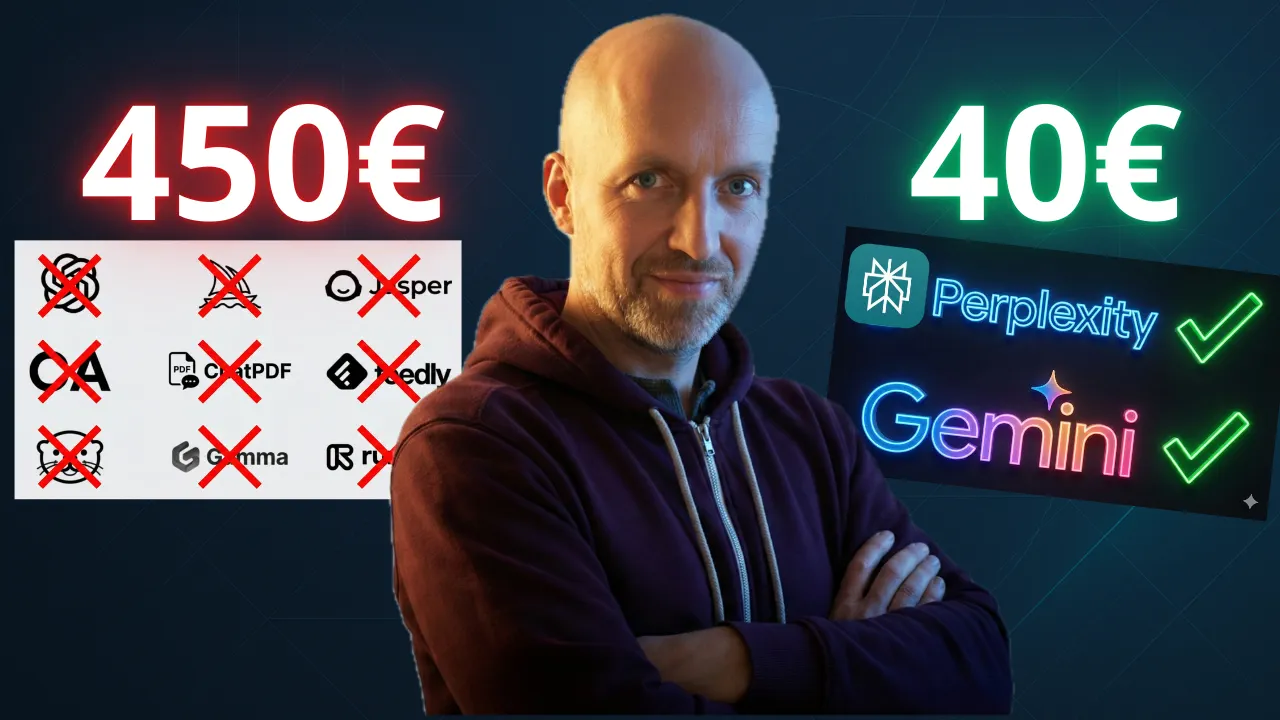
Here is how you go from €450 a month to €40, without losing productivity. Quite the opposite.
Why the tool assembly line doesn’t work
The problem isn’t quality, it’s friction. Every tool has its own interface, its own context, its own limits. You end up spending as much time switching between tools as actually working.
- You look for information: Google → Perplexity (because Google is still ads everywhere)
- You analyse competitors: paid monitoring tool → Perplexity collections
- You write a report: Gemini → Perplexity Deep Research → convert into a page
- You generate an image: Midjourney → Gemini (Nano Banana Pro)
- You create a video: Runway → Veo 3 inside Gemini
- You extract value from heavy PDFs: NotebookLM
This isn’t disrespect for those tools. It’s just that 2025 let two giants – Perplexity and Gemini – converge what 12 tools did badly, each in its own corner.
Part 1: Perplexity = your augmented brain
Perplexity isn’t just a better version of Google. It’s something fundamentally different: an answer engine that understands your question and gives you the answer, sourced, in a few seconds. No manual sorting. No ads. Just the answer.
Pro Search vs Google + paid monitoring
Most people still use Google in 2025. Then they pay for a newsletter to summarise the news for them. That’s silly.
Pro Search from Perplexity does both at once. In a single query.
Concrete example: you want to know what your competitors shipped this week.
With Google: scroll through 10 ad results, click, read, compare manually.
With Perplexity Pro Search: one question, one structured answer in 20 seconds, with direct citations.
The real game-changer is shortcuts and tasks. You create a “Competitors” workspace. Inside, you add the sites you want to watch. Every morning, one click, and Perplexity tells you exactly what changed on the web regarding your competitors. No manual monitoring. No €50/month monitoring tool.
It’s legal, automated espionage, included in Perplexity Pro.
| Need | Google + Newsletter | Perplexity Pro Search |
|---|---|---|
| Time to get an answer | 5-10 min | 20 sec |
| Verified sources | No | Yes (inline citations) |
| Automatic comparison | No | Yes |
| Monthly cost | ~$40-60 | $20 (Pro) |
Deep Research: replacing your external consultant
Before, if you needed a market study, you hired an intern or paid a consultant. €2000, 3 days.
Deep Research from Perplexity does it in 3 minutes.
Here is how it works: you ask it a complex question. It doesn’t search once. It thinks, finds a piece of information, that gives it another lead, and it searches again. It really reasons.
Result: a 4-page PDF, fully sourced, with figures, trends and a synthesis.
Real use case:
- “Give me a complete market study of the affiliate training market in 2025: prices, customer pain points, keywords people search.”
- 3 minutes later: I have a document I would have paid someone a week to produce.
That’s not marketing talk. It’s just that autonomous AI research, in 2025, works.
Turning text into a PowerPoint or a web design in one click
Deep Research gives you a text report. Nobody really reads it.
In Perplexity Pro, you have a button: Convert. You click. It takes your report. It adds images. It lays it out. In 10 seconds, you have a visual web article, ready to send to a client. Or a PowerPoint-style presentation. Or a PDF.
That’s what Gamma did (at €40/month). Now it’s free, included, zero friction.
Labs + Focus: killing Excel for visualisation
You have a hideous CSV file nobody understands. Don’t open it.
Go to Perplexity Labs. Drop the file in. Ask: “Show me the trend.” Boom. An interactive chart, instantly.
Were you considering Tableau at €70/month? You can forget it.
Bonus 1: the video masterclass (January 2026)
Bonus 2: 📋 MASTERCLASS PROMPTS (Placeholder Version)
| Chapter | Prompt Template | Description | Why it is smart |
|---|---|---|---|
| Chap 1: Pro Search | “What are the 3 major news stories about [TOPIC] in the last 24h and what are experts saying about [PLATFORM] on this?” | Targeted automatic monitoring | Cross-reference : forces Perplexity to scan 2 sources (News + Social). Avoids isolated pieces of news. |
| Chap 2: Deep Research | “Act as an expert in [FIELD]. Do a market study on [NICHE]. Include: average prices, 3 main competitors, and the 5 most frequent customer complaints.” | Complete market study | Requested structure : the “Include” forces an exploitable tabular format. Without it, the AI rambles. |
| Chap 3: Convert | (No prompt – Button action) | Visual conversion | Zero-Friction UX : no prompt needed, just a click. |
| Chap 4: Labs | “Draw a [TYPE] chart showing the evolution of [METRIC] and add a trend line for [FUTURE PERIOD].” | Predictive visualisation | Forced projection : the “trend line” turns dead data into a business decision. A generic prompt like the one in the video works too. |
| Chap 5: Workspace | “Find the document [DOC NAME] in my Drive and summarise [SPECIFIC INFO] for me.” | Contextual internal search | Gemini searches your Drive and your emails, ultra efficient! |
| Chap 6: Gems | “Here is Perplexity’s report on [TOPIC]: [PASTE TEXT]. Write a LinkedIn post in my style for [GOAL].” | Personal clone activated | Feed + Instruction : you give the raw material plus the transformation order. The Gem applies your pre-configured “Voice”. |
| Chap 7: Imagen 3 | “Generate a photorealistic image of [TOPIC] in a [STYLE] style. 16:9 format.” | Corporate image generation | Style specificity : “Photorealistic” removes the cartoon look. “16:9” avoids cropping. Time saved = 100%. |
| Chap 8: Veo 3 | “Generate a 5-second cinematic video: [SCENE DESCRIPTION + CAMERA MOVEMENT].” | B-roll, instant video shorts | Short duration : 5 sec = max quality + fast render. The camera movement adds dynamism (otherwise it is a still image). |
| Chap 9: NotebookLM | (No prompt – Automatic Audio Overview) | Synthesis podcast | Zero-Input Magic : the AI analyses ALL the uploaded docs and creates a natural debate. No prompt needed. |
Bonus 3: Comparison Table: Perplexity Pro vs Gemini AI pro
| Feature | Perplexity Pro ($20/month) | Gemini AI pro ($20/month) |
| Main Engine | 🔵 Multi-Model (free choice between GPT, Claude, Gemini, Sonar, etc.) | 🟣 Gemini 3 Pro / Flash (single native Google model) |
| Context Window | ⚪ ~128k tokens (depends on the chosen model) | 🟣 1 million tokens (whole-book analysis, vast codebases) |
| Web Search | 🔵 Pro Search & Deep Research (iterative research, neutral sources, monitoring “Spaces”) | ⚪ Built-in Google search (Grounding), but less transparency on sources |
| File Analysis | 🔵 Focus Search (precise analysis to extract quotes and facts from PDFs) | 🟣 Deep Analysis (native Python to analyse spreadsheets, build graphs, manipulate data) |
| Code & Python | ⚪ Generates code, but no live execution environment | 🟣 Built-in Python execution (Sandbox: it writes AND runs the code to verify the result) |
| Image Generation | 🔵 Multi-Engine (access to Flux, GPT image, Seedream, nanobanana, via the playground) | 🟣 Imagen 3 – Nanobanana pro (integrated, photorealistic, precise control of text inside the image) |
| Integration | ⚪ Basic export (Markdown, PDF) | 🟣 Google Workspace (straight into Docs, Gmail, Drive, Slides) |
| Customisation | 🔵 Spaces (collaborative workspaces with a dedicated search instruction) | 🟣 Gems (creation of expert assistants and personas with complex instructions) |
| Voice Mode | ⚪ Standard voice mode (mobile app) | 🟣 Gemini Live (fluid conversation, natural interruption, real time) |
Part 2: Gemini = your production factory
Perplexity gives you the intelligence. Gemini turns that intelligence into a finished product.
Gemini’s superiority is that it knows your entire life. It has access to Gmail, Drive, Calendar, Docs. Is that scary? Yes. Overpowered? Even more so. And it does not have to be reckless: here is how to connect Gemini to your Drive without handing over the keys.
Workspace integration: an assistant that knows your secrets
Imagine an assistant that has read all your emails, all your documents, all your contracts.
You ask: “Find the March quote and tell me how much I billed that client.”
Gemini digs through Gmail, Drive, Docs. It finds it. It answers in 2 seconds.
That’s Gemini AI pro integrated into Workspace. The monitoring tool, the personal assistant, the contract manager, all at once.
Before, you would have paid for:
- A CRM ($50/month)
- A document search tool ($20/month)
- A virtual secretary through a service ($200+/month)
Now, it’s included in Gemini AI pro ($20/month).
Gems: cloning your writing style (for example)
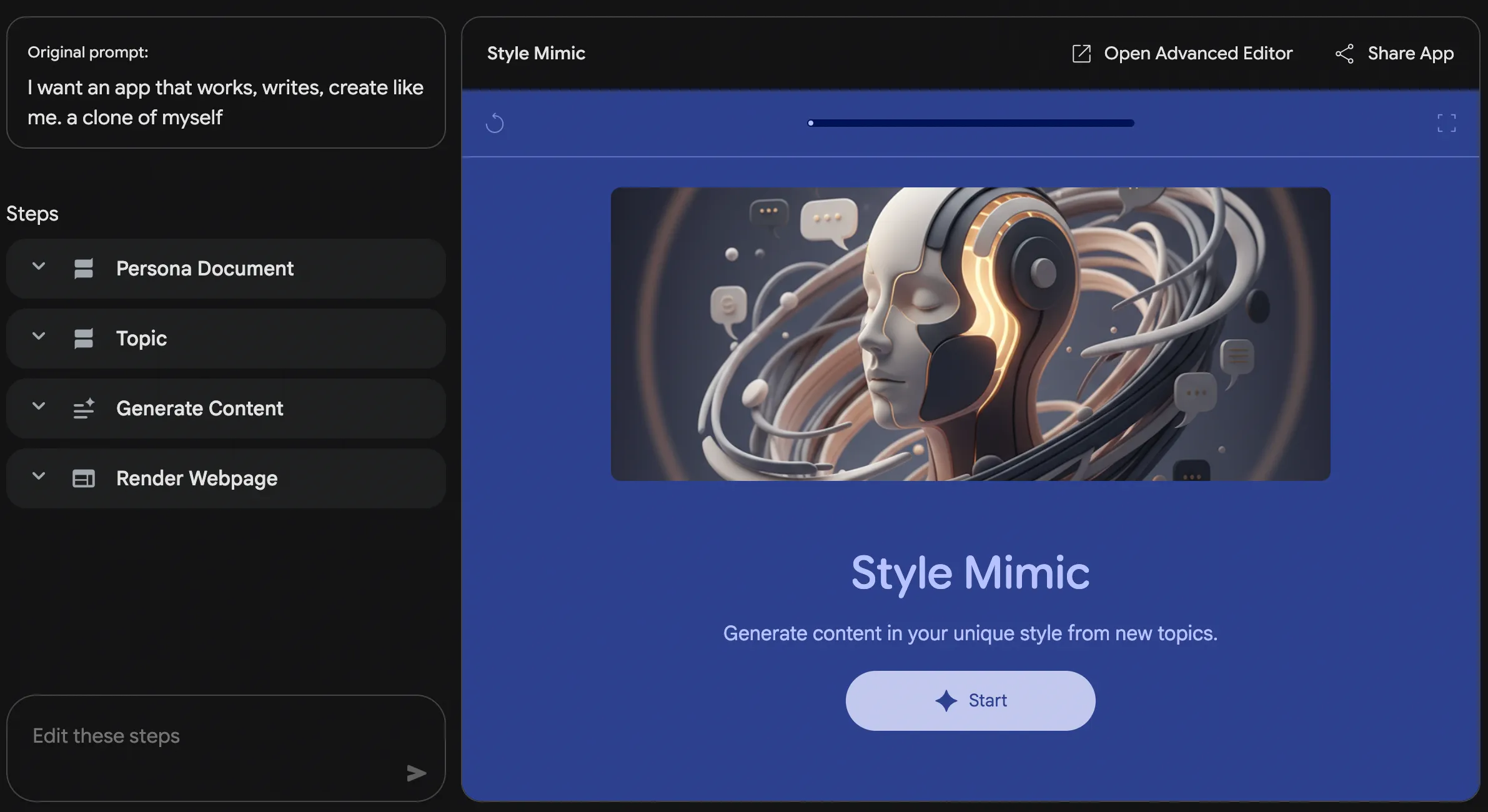
Gems are Google’s equivalent of OpenAI’s “Custom GPTs”. But more powerful.
You create a Gem called “My Double”. You feed it all your past LinkedIn posts, your emails, your articles. You encode your style, your tone, your obsessions.
Then you give it the report Perplexity just generated. You say: “Write a post my way.”
Result: a post that seems to come from you, without lifting a finger. It’s baffling.
Used properly, a single well-configured Gem removes the need for 3 services:
- CopySmith or Jasper (generative AI for writing)
- ContentStudio (content planning)
- A junior community manager
| Task | Traditional tool | Gemini Gem |
|---|---|---|
| Generate 10 LinkedIn posts | 2h + Jasper ($50/month) | 10 min + free Gem |
| Turn a report into an email | 30 min | 2 min |
| Write a client brief in your style | 45 min | 5 min |
Nano Banana Pro: Imagen 3, photorealistic, zero friction
You need an image for your presentation. Before: Midjourney ($30/month) + Discord + 3 iterations.
Now: you are in Google Slides. You need a photo of futuristic offices. You type in the Gemini chat. The image arrives. Royalty-free. Integrated directly. Zero friction.
Nano Banana Pro (Gemini’s image model) generates photorealistic output with a quality that surprises. And it’s included in Gemini AI pro.
Real limits: the number of images per day. But what’s good is that it’s transparent, and that for 99% of professional needs, it’s enough.
Veo 3: generated videos, cinema, synchronised audio
Midjourney has no video. Runway charges $25/month and it’s a pain. Google built Veo 3 straight into Gemini.
You describe a video. It is generated. With sound (sound effects, music, synchronised dialogue). Photorealistic. Up to 8 seconds in 4K.
Used in a professional context: presentation intro, social media video, product demo. 5 minutes of generation instead of 2 hours of shooting + editing.
Of course, free limits exist: 3 videos (shorts) per day in December 2025 . But for someone with Gemini AI pro, Veo 3 is included and usable with no extra limit.
NotebookLM + Audio Overview: the podcast of your PDFs
It’s the craziest feature of 2025.
You upload a PDF, a whitepaper, a report. You click “Audio Overview”. NotebookLM generates a podcast. Two hosts discuss your document for 15 minutes. It is not robotic. It is a real conversation, with debate, with humour, with nuance.
You listen to it in the car, at the gym, in the dentist’s or paediatrician’s waiting room. In 20 minutes, you have understood your document.
Before, you had read it, or you had paid someone to summarise it. Now, you have a free podcast.
Comparison table: before vs after
| Category | Before (12 tools) | After (2 tools) |
|---|---|---|
| Tools | Google, Perplexity, ChatGPT Plus, Midjourney, Jasper, Gamma, Tableau, NotebookLM, Runway, Zapier, a CRM, Asana | Perplexity Pro + Gemini AI pro |
| Monthly cost | ~€450 | €40 |
| Reduction | – | -91% |
| Learning time | 40h (every tool different) | 8h (two interfaces) |
| Productivity | Fragmented, loss of context | Integrated, fluid |
| Friction | High (constant switching) | Low (two tabs max) |
| Main outputs | Text, images, video, data | Text, images, video, data |
| Output quality | Variable depending on the tool | Constant (Gemini 3 + Sonar, the model behind Perplexity) |
Q&A: What everyone asks
But … isn’t Midjourney better than Nano Banana Pro for images?
No. In 2024, yes. In 2025, no.
Nano Banana Pro generates photorealistic images with a precision we only used to see with Midjourney. And above all, it has zero friction: you are already in Gemini/Slides/Docs, the image arrives directly. Midjourney means Discord, it’s slow, it’s €30/month.
For fast, integrated photorealism, Nano Banana Pro wins.
(For creative, stylised, highly specialised art, Midjourney remains slightly better. But that’s not 99% of needs.)
What about ChatGPT? Claude? Can I really ignore them?
Perplexity uses Claude and GPT in the backend (access through Pro Search). Gemini 3 is Gemini 3 Pro or Flash.
So no, you lose nothing. You already have access to those models, through Perplexity and Gemini. Other models even become available in Perplexity depending on releases during the year.
Does direct ChatGPT have use cases? Yes – notably image generation with ChatGPT Images 2. ChatGPT for code, MCPs or ChatGPT through the API; OpenAI offers useful features. But for a solopreneur or an SMB, it is overkill. Perplexity + Gemini are enough for 98% of tasks (to understand why, my Gemini vs ChatGPT comparison explains the advantage).
What about my CRM? My project management?
Gemini Workspace accesses Asana, Salesforce, Jira, Mailchimp directly. You can query your CRM in natural language.
“Which clients should I follow up with this week?” Gemini talks to your CRM and gives you the answer in 2 seconds.
You no longer need an expensive “middle” tool. Gemini is your interface.
But what about security? Does Google have access to my emails?
Yes, Google has access to your emails. But you had already given them access (Gmail). The difference is that now it is Gemini reading them, or digging through your archives, not you.
And it is safer than having 12 different tools asking for permissions in every direction.
(If you work in a company, Gemini Enterprise has granular controls. But here, we are talking solo.)
Can I really do everything with Perplexity + Gemini?
No. A few cases where you need to add something:
- Professional video editing → Davinci, CapCut or Adobe (Veo 3 generates, but does not really edit)
- Specialised Figma/Design → Figma + Gemini (Gemini generates, Figma manages)
- Webflow/Advanced dev → Gemini Code can help, but a developer is still an asset.
- Precise analytics → Google Analytics + Looker (but Perplexity Labs can visualise quickly)
For 90% of the tasks of creators, copywriters, marketers, trainers, solopreneurs: it is enough.
Real cost table (December 2025)
| Tool | Cost/month | Included in the minimal arsenal |
|---|---|---|
| Perplexity Pro | $20 | ✓ |
| Gemini AI pro | $20 | ✓ |
| Total arsenal | $40 | – |
| vs Before | – | -91% ($450 → $40) |
| ChatGPT Plus | $20 | ✗ (redundant) |
| Midjourney Standard | $30 | ✗ (Nano Banana Pro is enough) |
| Jasper | $49 | ✗ (Gemini Gems replaces it) |
| Gamma | $40 | ✗ (Perplexity Pages replaces it) |
| Runway | $25 | ✗ (Veo 3 replaces it) |
| NotebookLM Pro | $0* | ✗ (free, or inside Gemini) |
*NotebookLM is free, audio overviews included with reasonable limits.
The Real Gains
1. 3x productivity
You lose 40% of your time switching from one tool to another. Two well-configured tools = focus.
Real case: generate a report + visual + LinkedIn post.
- Before: Research (Google/Perplexity) → Writing (Gemini/ChatGPT) → Visual (Gamma) → Post (Jasper) = 45 min
- After: Perplexity Deep Research → Page conversion + Gem for the post = 12 min
2. Greater consistency
Gemini Workspace knows who you are. Perplexity understands the context.
Output quality increases because there is less information loss between steps.
3. Predictable cost
€40/month. That’s it. No “let’s get Tableau for the charts”, no “we need Midjourney for images”. And if you want the numbers behind a stack like this, my breakdown of what an AI agent really costs goes deeper.
What we don’t recommend
- Blind copy/paste : always verify a Deep Research. It is 95% accurate, not 100%.
- Veo 3 for video editing : it is generative, not pro editing. 8 seconds is limited.
- Nano Banana Pro for stock : royalty-free, but not necessarily unique.
- Losing your Gem : duplicate it, share it, back it up. Gems are your intellectual property.
Checklist to Move to the Minimalist Arsenal
- Week 1 : set up Perplexity Pro + Collections (competitors, news, monitoring)
- Week 1 : set up Gemini AI pro + Gems (at least 3: “My Style”, “Market Analyst”, “Copywriter”)
- Week 2 : document your prompts. Each Gem = 2-3 key prompts to memorise
- Week 3 : Deep Research for your first complete report
- Week 4 : replace your design tool with Nano Banana Pro
- Week 5 : generate your first video with Veo 3
- Week 6 : use NotebookLM to turn a PDF into a podcast
- Week 7 : analyse where it went wrong. Adjust.
The Limits (Which Are Real)
- Dependence on two giants : you are on Google and Perplexity. If one goes down, you have a problem.
- Hallucinations : Perplexity and Gemini reason well, but they can make things up. Always double-check critical figures.
- No real manual curation : Perplexity Spaces do not replace a real Human inside their subject.
- Video is limited : Veo 3 generates, but it is 8 seconds. No more.
The Bottom Line
We thought more tools = more power. That was wrong. It was just more invoices.
The minimalist arsenal is not a limitation. It is clarity.
Two tools used well deliver more than a dozen badly integrated ones.
Perplexity for what you need to know. Gemini for what you need to build.
And €40/month to make it work.
It is not just a saving. It is a philosophy: choosing depth over width. Mastery over dispersion.
In 2026, that is what will make the difference. Not the one with 15 tools. The one who really knows how to use 2.


Leave a Reply