
MCP Server: the tutorial for connecting any tool to your AI agent
My AI agent wrote well, but it lived in a bubble. It could not read my working folders, open a web page or check the local time in Bangkok without manual copy-pasting. Every serious task turned into an exhausting ping-pong match between me and the machine.
The MCP protocol solves this problem, and this MCP server tutorial shows you how to leverage it in under 30 minutes. We first lay down the concept with a simple analogy, then configure two real clients, and finish with the security pitfalls almost nobody reads in the documentation.
✨ Key Takeaways
- An MCP server is a standardized bridge between your AI agent and an external tool: files, web pages, business APIs.
- The Model Context Protocol is an open standard launched by Anthropic in late 2024, now adopted well beyond their products.
- The configuration fits in a few lines: a JSON file on the Claude Desktop side, a few YAML lines on the Hermes Agent side.
- Three servers cover most of a solopreneur’s needs: file access, web page reading, time zones.
- Security is set up before the first connection: restricted file scope, locally executed code, isolated API keys.
I connected my first MCP servers on a busy weekday evening, between two fixes. Result: my agent now reads my project folders and fetches web page content by itself. Here is the exact method I now repeat on every new machine.
MCP server: how it works, with a simple analogy
Before the Model Context Protocol, connecting a tool to an AI assistant was bespoke plumbing. Every vendor coded its own integration, and nothing was reusable from one piece of software to another. Developers spent more time wiring pipes than building useful features.
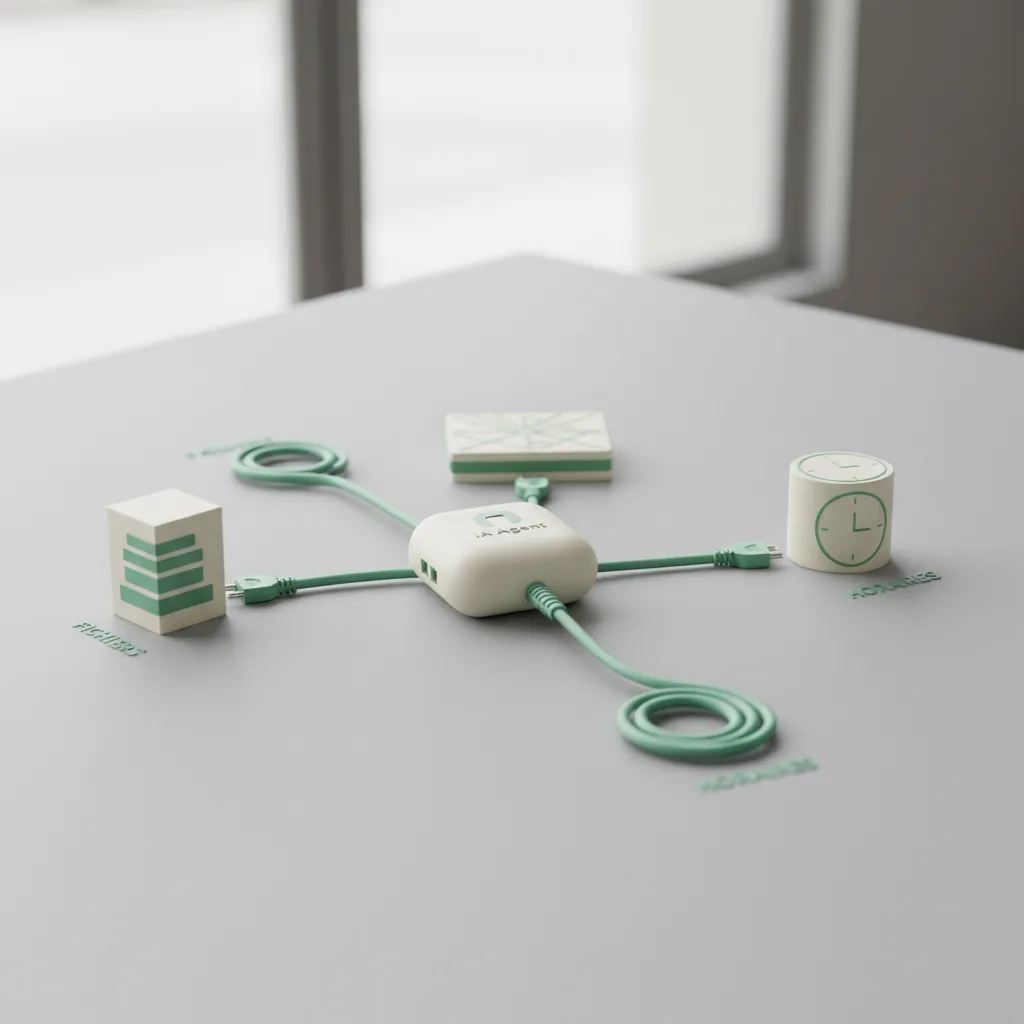
The analogy that made the concept click for me: MCP is the USB port of AI. Before USB, every device had its proprietary cable and specific driver. With the MCP protocol, any tool exposes its capabilities in a single format, and any compatible agent uses them without special development.
Concretely, an MCP server announces a list of tools: read this file, extract that page, create this ticket. The agent discovers these tools at startup, then calls them as if they were native. You write no code to consume an existing server, you simply declare where it lives.
The protocol is open source and was born at Anthropic, but it is not locked to their products (official documentation). MCP clients exist in Claude Desktop, Cursor, VS Code or autonomous agents like Hermes. It is this pooling that makes the movement interesting for us: a configured server works everywhere.
Connecting an MCP server to Claude Desktop
Claude Desktop remains the shortest path to test a Claude MCP server without touching the terminal beyond a copy-paste. Everything goes through a JSON configuration file. Here is the procedure, tested on my machine.
- Install Node.js if not already done: most official servers run via npx.
- Locate the configuration file. On macOS: `~/Library/Application Support/Claude/claude_desktop_config.json`. On Windows: `%APPDATA%\Claude\claude_desktop_config.json`.
- Add the following block, then save the file.
“`json
{
“mcpServers”: {
“filesystem”: {
“command”: “npx”,
“args”: [“-y”, “@modelcontextprotocol/server-filesystem”, “/Users/tonnom/Documents/projets”]
}
}
}
“`
- Restart Claude Desktop completely. Not just the window: quit the application from the menu bar, then relaunch it.
- Click the tools icon in the input area: your server should appear in the list. Otherwise, the development menu shows the error logs.
The crucial point is the last argument: the folder passed to the filesystem server defines its scope of action. Never give away your entire user root. A precise working folder is enough and limits the damage if something goes wrong.
If you get radio silence after restarting, check that `npx –version` answers in a terminal, then re-read your JSON hunting for stray commas. These two causes explain most cases where a Claude MCP server refuses to load.
Hooking MCP servers into Hermes Agent
If you use Hermes Agent, the logic is identical but the configuration goes through YAML. I chose this approach for my automation workflows because the servers stay connected permanently, session after session, without manual handling.
The prerequisites boil down to two checks:
“`bash
pip install mcp
node –version
“`
Then add your servers in `~/.hermes/config.yaml`, under the `mcp_servers` key:
“`yaml
mcp_servers:
filesystem:
command: “npx”
args: [“-y”, “@modelcontextprotocol/server-filesystem”, “/opt/data/travail”]
fetch:
command: “uvx”
args: [“mcp-server-fetch”]
time:
command: “uvx”
args: [“mcp-server-time”]
“`
At restart, Hermes discovers each server, lists its tools and registers them with an explicit prefix: `mcp_filesystem_read_file`, `mcp_time_get_current_time`. This convention avoids name collisions when you stack several MCP servers.
A detail that matters for peace of mind: Hermes filters environment variables passed to subprocesses. Your API keys only leak to an MCP server if you explicitly declare them in its `env` key. Exactly the behavior you expect from a tool that runs for hours on your machine.
Want to connect a proprietary AI-agent API that still has no community server? The official documentation describes how to write one. Count one evening if you know Python or TypeScript; in the vast majority of cases, someone has already done it for you.
This configuration completes the infrastructure for AI agents that I walk through step by step in a dedicated guide.
Three useful MCP servers to get started
| Server | What it adds to your agent | How to run it |
|---|---|---|
| filesystem | Read, write and organize files inside an allowed folder | `npx -y @modelcontextprotocol/server-filesystem |
| fetch | Extract the content of a web page and convert it into clean text | `uvx mcp-server-fetch` |
| time | Current time and time zone conversions | `uvx mcp-server-time` |
My daily combo: filesystem for project folders, fetch to read pages during monitoring, time because I live in South-East Asia and coordinate across three time zones. These three servers have been running on my machines for weeks without a crash.
The official catalog (modelcontextprotocol GitHub repository) also lists servers for GitHub, Slack, PostgreSQL or persistent memory. Quality varies a lot from one contributor to another: favor repositories under the modelcontextprotocol organization or those of established vendors.
Once these building blocks are in place, the logical next step is to chain them into automated tasks. I explain this move to action in my article on Python micro-automations; the principle stays the same with an agent.
Security: the pitfalls to know before plugging in
Pitfall number 1: running code without knowing what it does. A server distributed via npx executes locally with your user privileges. Check the source repository, the last update date and the maintainer’s reputation before adding a line to your config. An MCP server is third-party code on your machine, not a magic plugin.
Pitfall number 2: too broad a scope. The filesystem server only sees what you pass it as an argument. Restrict it to a dedicated working folder, never to your entire home directory or to locations holding confidential documents.
Pitfall number 3: prompt injection. Content fetched by a tool, whether a web page or a file, enters the model’s context. A malicious page can contain instructions meant to manipulate the agent. Always keep a human in the loop for irreversible actions: file deletion, publishing, sending emails.
Pitfall number 4: keys in plain sight. Some configurations require a GitHub token or an API key directly in the file. Never version these files in a public repository, and prefer environment variables properly declared in the `env` key.
Final word
MCP transformed my use of generative AI: the agent went from writer in a bubble to an assistant plugged into my real working environment. This MCP server tutorial boils down to a simple progression: one server first, the filesystem on a test folder. Once you see the agent reading and tidying files on its own, the rest follows naturally.
I document this kind of experimentation as it happens in the Lab section, complete configs and failures included.
FAQ: your questions about MCP servers
What is an MCP server in simple terms?
It is a small program that exposes a tool’s functions, such as files or an API, in a standard format understood by compatible AI agents. The agent calls these functions as if they were built-in tools.
Is MCP reserved for Anthropic products?
No. The Model Context Protocol is an open standard, usable by any vendor. Claude Desktop implements it, and so do Cursor, VS Code and autonomous agents like Hermes Agent.
Do you need to know how to code to use an MCP server?
No for existing servers: you copy a JSON or YAML configuration block and restart the application. Yes for writing your own server: solid foundations in Python or TypeScript are required.
Does using an MCP server cost money?
Official servers are open source and free. Careful: some tools sitting behind a server remain paid — a Notion server does not replace the Notion subscription. The protocol itself costs nothing.
What is the difference between an MCP server and a classic API?
A classic API requires specific development on the client-application side. An MCP server wraps that API in a single format: one configuration is enough and the agent discovers the tools by itself. It is the interoperability layer that was missing to connect AI-agent APIs without over-engineering.



Leave a Reply